
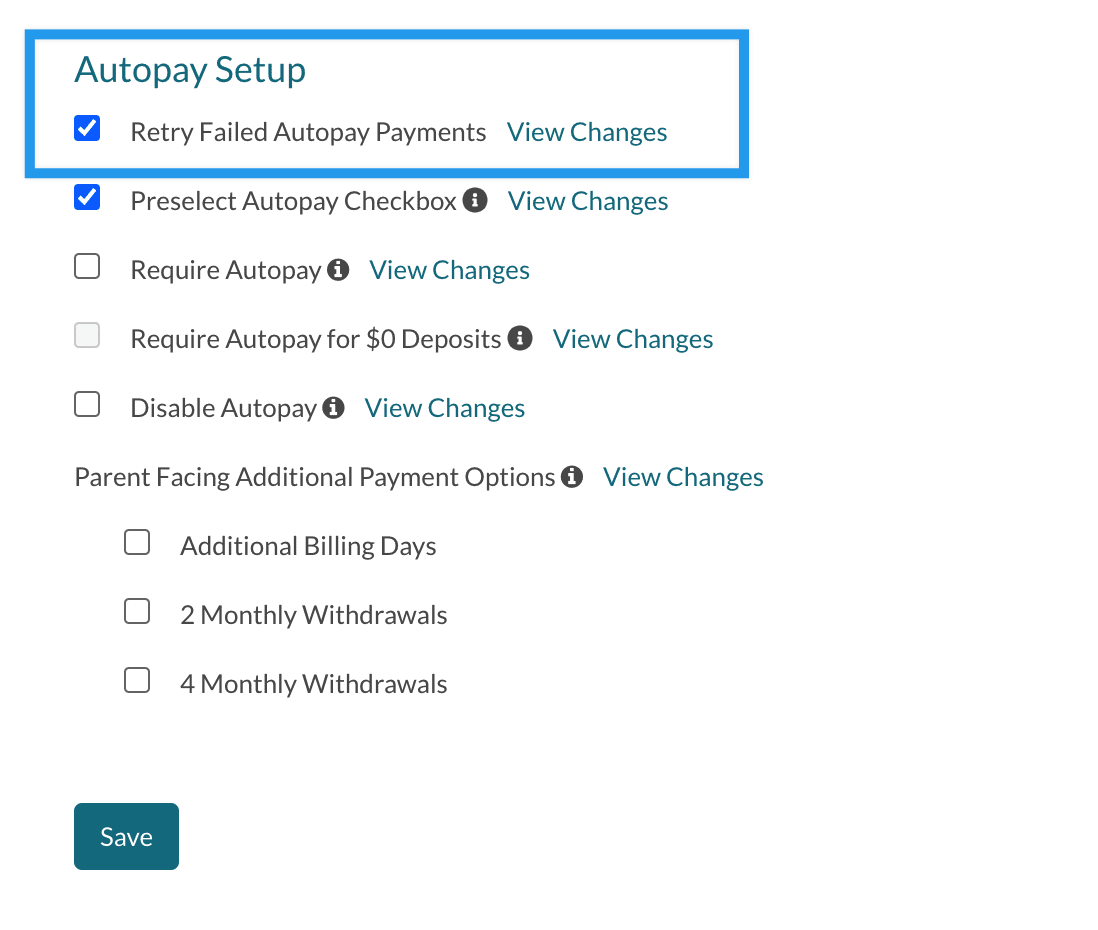
The Retry Failed Autopay Payments feature lets the system automatically re-attempt most failed autopay charges once before turning autopay off. Enable it under Settings > Financial > Billing Setup.
Who can enable this feature?
Admin Account Types: System Admin and Admin
Permissions: Financial
💡Quick Answers
- How do I enable Retry Failed Autopay Payments? Navigate to Settings > Financial > Billing Setup and check the option under Autopay Setup. Only System Admins and Admins with Financial permission can access this page.
- What happens when a payment fails with this feature on? The charge is added back to the ledger and the payer receives an Autopay Failure Retry email; the system re-attempts the charge 2 days later.
- What if the retry also fails? Autopay is turned off and the payer receives an Autopay Failure email. Retries only happen once.
- Are NSF fees charged on the retry attempt? No, NSF fees are only charged for the first failure; they are not applied to the retry.
- Can all failed payments be retried? No, some failures cannot be retried, such as payments that fail due to a closed bank account.
In this Article
Enabling this Feature
To enable this feature, navigate to Settings > Financial > Billing Setup and select the option under Autopay Setup. Only System Admins and Admins with Financial permission can access this page.
How this Works
If the payment fails due to a supported reason (see the * note in the overview section), the following will occur:
-
Immediately when a payment fails:
- The charge is added back to the ledger.
- The Autopay Failure Retry email will be sent to the payer letting them know that the payment failed and that it will be re-attempted. This email also contains the date that the autopay will be re-attempted on.
-
2 days after that email:
- The system will attempt the charge again.
- If it succeeds, autopay stays on and the payer is sent the Payment Received email.
- If it fails again, autopay is turned off and the Autopay Failure email is sent.
- The system will attempt the charge again.
Important Notes
- Payment retries will only happen once. Once the system re-attempts a charge, if this second attempt does not succeed, the payer's autopay will be turned off by the system and they will be sent the Autopay Failure email.
- NSF Fees are only charged for the first failure. If it fails again, NSF fees will not be charged again.
- While the system can re-attempt to charge most failed payments, some can not be re-attempted. For example, the system can not re-attempt to charge a payment that fails due to a closed bank account.
Comments
0 comments
Article is closed for comments.