
Link (powered by Stripe) is a secure payment feature that lets parents save their credit card details during a Finalsite Enrollment payment for faster future transactions. It is automatically enabled for all Payments schools.
💡Quick Answers
- Does Link need to be set up by the school? No, Link is automatically enabled for all Finalsite Enrollment Payments schools at no additional cost; no configuration is required on your end.
- How does a parent use Link for the first time? During a credit card payment, they click the Link option, enter their email and phone number to set up the account, and their payment details are saved for future use.
- Does Link work for Electronic Check payments? No, Link is only available for saving credit card information, not electronic check (bank account) details.
- Who handles Link troubleshooting and support? Since Link is built by Stripe, parents should contact Stripe's Link support at support.link.com for issues with storing or managing their payment details.
In this Article
Good to know
- Link is created by Stripe (the tool that powers our Payment processing.)
- Link is automatically enabled for all Stripe Payments schools. (It doesn't cost anything and doesn't need to be set up on your end. It's already there as an option for parents.)
- Using Link does not affect or interfere with Autopay setup.
- Link is secure. Here's an excerpt from Stripe's website regarding security: Since Link is powered by Stripe, a global payments provider, we are certified to PCI Service Provider Level 1. This is the highest level of certification available in the payments industry.
How does this work?
The option to use the Link appears for parents wherever they can make a payment and is available only for saving Credit Card information (not for Electronic Check payments.)
It appears as a link within the Credit Card details box.
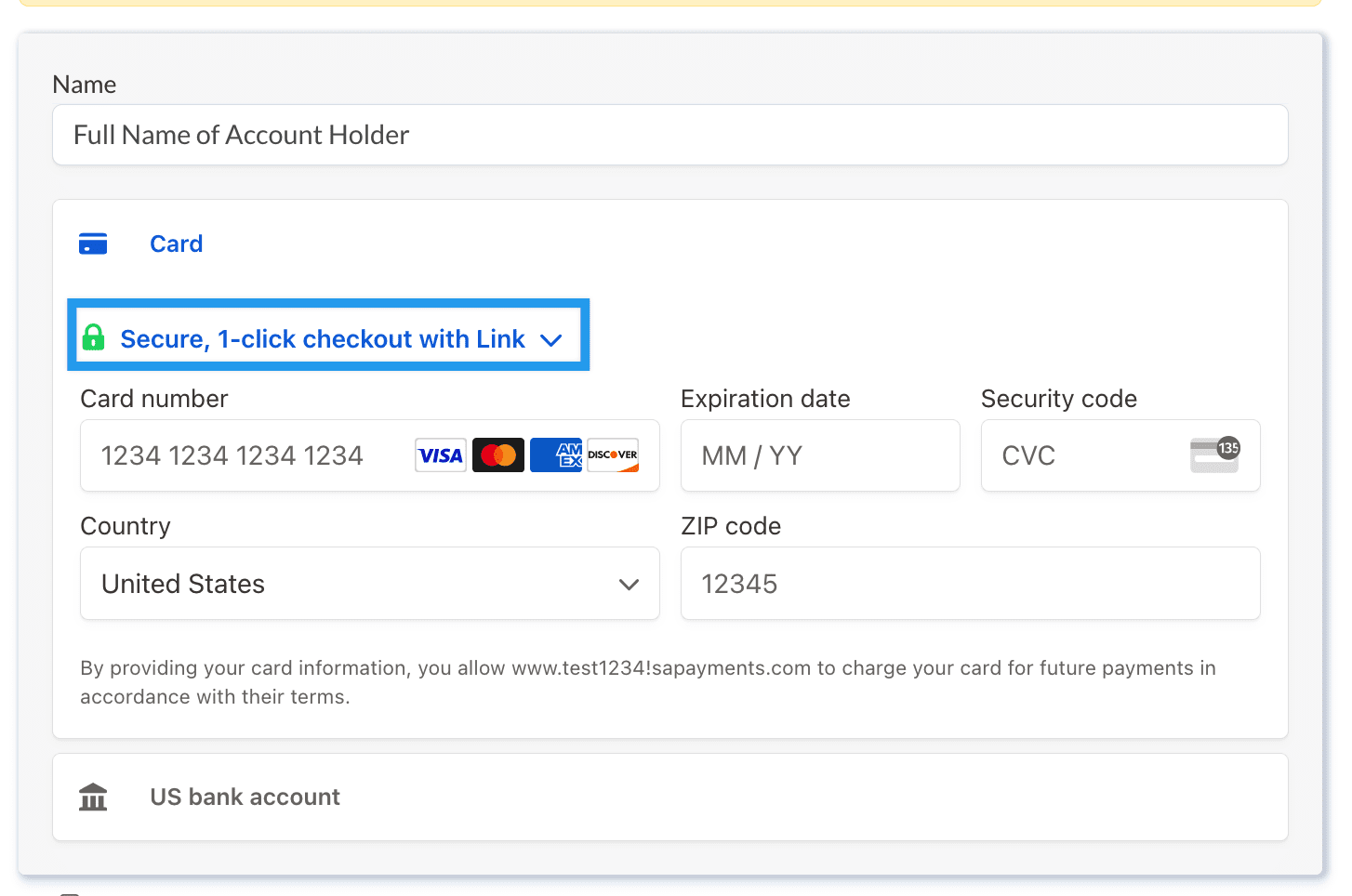
- First-time users are prompted to enter their email and phone number as part of the setup process. Once they complete the initial setup, they are all set to use Link to pay in Finalsite Enrollment or any other site that utilizes the tool.
- If a user is already registered with Link, such as through another site, Link will recognize this and prompt them to enter a one-time passcode.
Once entered, their name, credit card information, and other details will be automatically filled in (they just have to re-enter their CVC code each time they make a payment using Link.)
Troubleshooting and Support
Since Link is built by Stripe, the Stripe support team is best equipped to assist with any issues related to storing or managing credit card information using this tool.
Please direct parents to log in to Stripe's help center for Link to get assistance with this tool: https://support.link.com/contact/login?
Comments
0 comments
Article is closed for comments.