
The Explore Applicants Report (Search & Reports > Admissions Reports > Explore Applicants) shows the number of applications submitted through Finalsite Explore per school, with year-over-year trend data.
Who can access this report?
Admin Account Types: System Admins and Admins
Permissions: Any
💡Quick Answers
- What does the main report show? A list of schools in your Finalsite Explore group that have received at least one application, with the count and percentage of applicants who also applied to other schools in the group.
- What does the right-side section show? A year-over-year summary of the past 4 terms by school, unaffected by the term or filter selections on the main report.
- How do I filter or export the report? Use the Term Picker and Filter Options dropdown to narrow results; use the Export menu to download a PDF.
In this Article
Good to Know
- The student will only be counted in this report if they have applied through Finalsite Explore.
- This will not be an exact representation of the numbers but rather an estimate of the pool of applicants within the group.
Options
Term Picker
Use the Term Picker to view the report data for a specific term.

Filter Options
The standard filter options (Grade and Status) are included in the Filter Options dropdown. If you have any additional custom filter options set up for your Admissions and Enrollment lists pages, you'll see those as well. To request custom filter options, contact support.
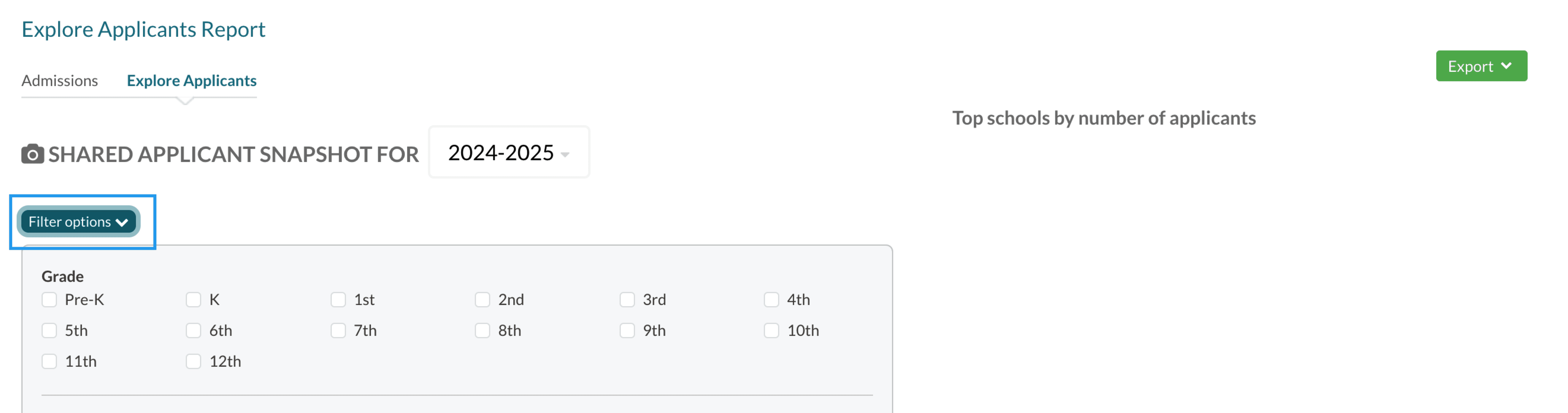
Export Menu
From the export menu on the top right side of the page, you can download a PDF version of the report.

Data
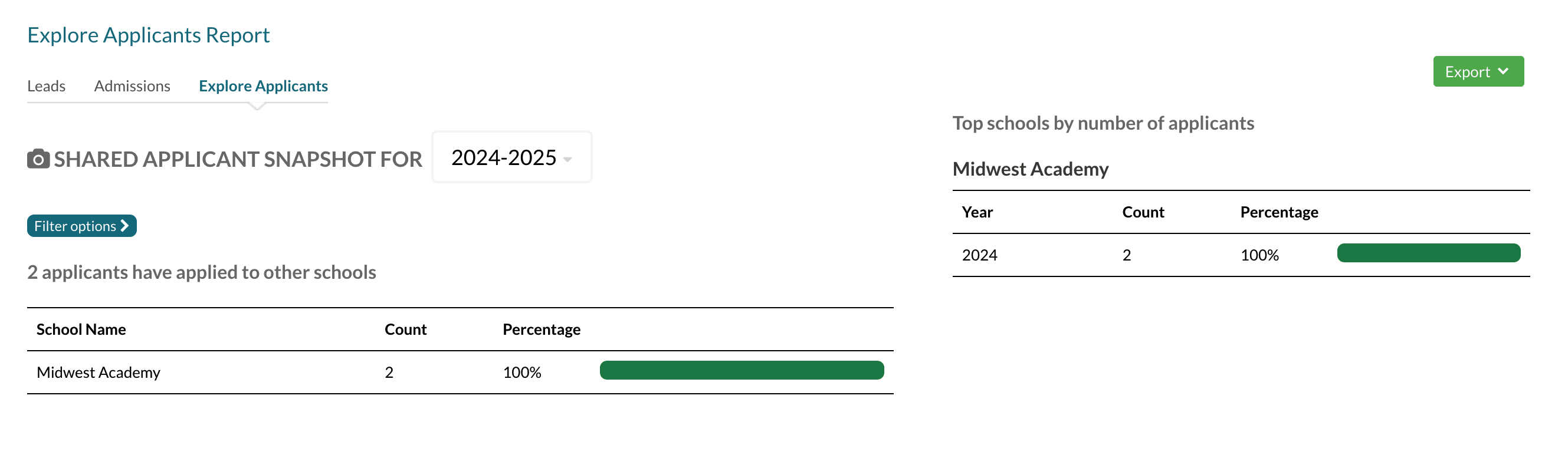
Counts by School
- The top of the report shows the total number of applicants that have applied to schools within the group.
- The main report shows the list of schools that applicants have applied to through the Finalsite Explore.
The report contains the following columns:
- School Name: Only schools in the group that have had at least one applicant through Finalsite Explore will be listed.
- Count: The number of applicants who also applied at another school within the Finalsite Explore group.
- Percentage bar: The amount applicants that applied to other schools. The percentage is calculated the following way: (Count/Number of total applicants for term) * 100
Top Schools by number of applicants
The right report contains a year-over-year summary of the data from the past 4 terms by school. The Filter options (including the Term Filter) do not affect this data.
Each school in this section also lists the term, count, percentage, and percentage bar.
Comments
0 comments
Article is closed for comments.