
Contract Fee Rules let you build data-driven contracts where each fee applies based on field values on the student's record (e.g., grade, school level, enrollment type). Available on the PRO plan; rules are added and edited only by Finalsite Enrollment Support.
💡Quick Answers
- Where do I see the rules attached to my fees? Settings > Financial > Contract Fees. Requires financial permissions. Expand any fee to see its rule.
- Which line items can have a fee rule? All of them: Tuition, Discounts, Deposits, Required Fees, Optional Fees, and Payment Plans. Rules can also gate which payment plans show for which families.
- What logic do rules support? Basic IS / IS NOT / AND / OR statements driven off student record fields.
-
What's an example?
school_level IS Upper AND international_student IS truewould apply a fee only to international upper-school students. - What's the year-over-year gotcha? Term-based fields (grade, school level, enrollment type, aid, scholarship) clear at rollover automatically. Non-term-based fields (day/boarding, international, faculty) must be updated manually per year, or fees can fire incorrectly.
- Where's the related Contract Fee Rules article? See Contract Fee Rules for the view/edit interface and rule audit history.
How-To: View & Use Contract Fee Rules
Contract Fee rules are visible on the Contract Fees page under Settings > Financial > Contract Fees.
Admins must have financial permissions enabled to view this page and only members of our support team can add or edit contract fee rules.
Within the Contract Fees page, you can see the rules attached to your contract fees. If a fee has a rule associated with it, you can expand the fee to see the details of the rule or rules attached.
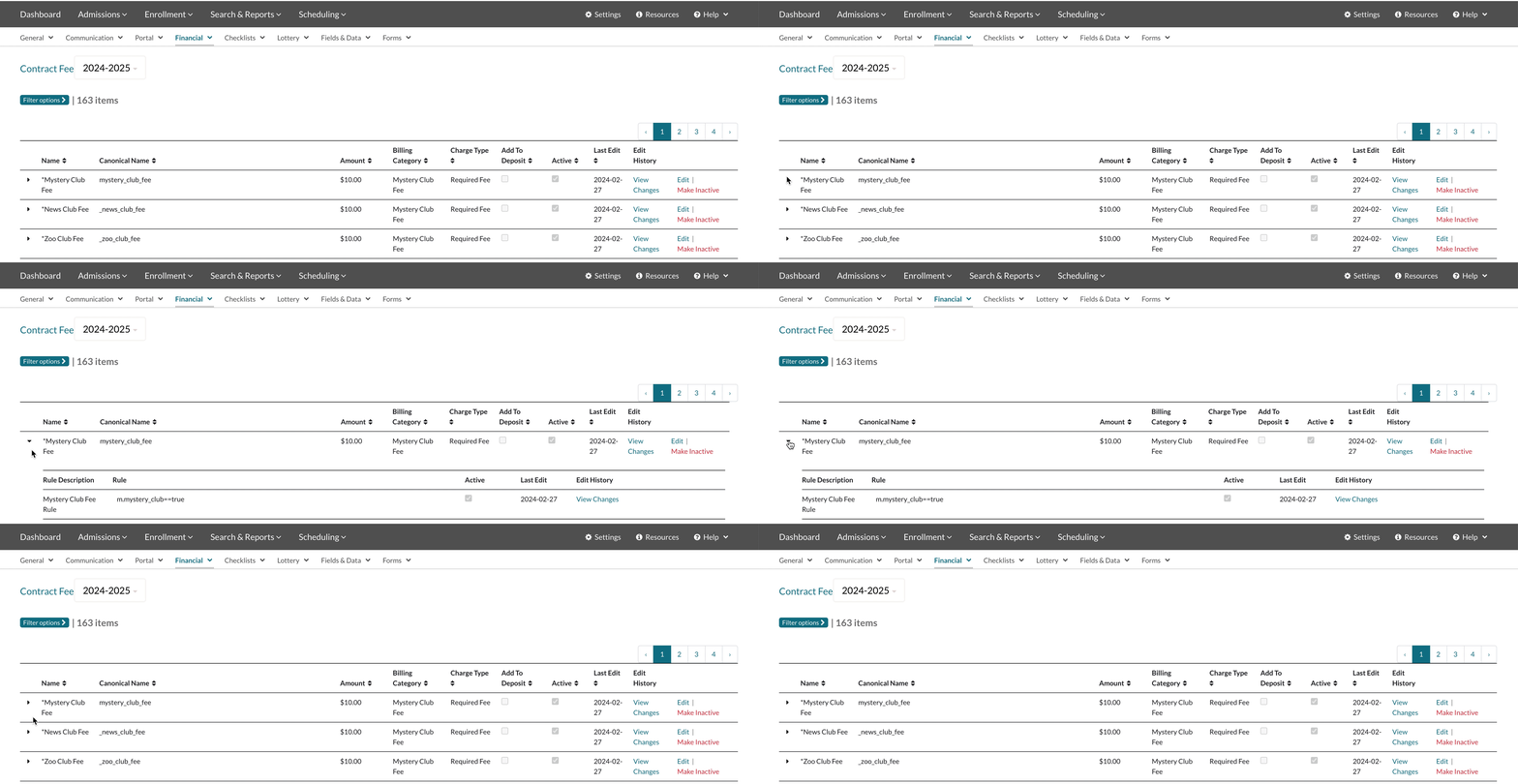
- All line item fees (Tuition, Discounts, Deposits, Required Fees, Optional Fees, and Payment Plans) can be applied on a case-by-case based on business rules that trigger whether that line item applies to a given student's contract.
- Contract Fee rules can also trigger which payment plan options are available to different types of students.
- Contract Fee rules are flexible but the most common examples comprise of basic IS, IS NOT, AND, OR statements driven off data fields set on the student's record.
Examples of Common Contract Fee Rules:
- school_level IS Lower
- day_or_boarding IS Boarding
- international_student IS true (yes) AND school_level IS Upper
- faculty_student IS NOT true (yes or blank)
- financial_aid_awarded IS false (no)
- grade IS 9th OR grade IS 10th
If all of the conditions specified in the rule are met for a specific student, then that fee will be applied on their contract.
A note about year-over-year behavior:
If the fee depends on a field set on the contact record, this data may need to be updated each year. If not, it is possible for fees to appear that should not or for fees to not appear when they should.
Many standard fields are term-based so they hold unique values per term and automatically clear upon rollover. These include fields like grade, school level, enrollment type (new or returning), financial aid amount, and scholarship amount.
However, other common fields - like day/boarding, international, or faculty member - are non-term-based fields that need to be manually cleared and updated for the new term.
Comments
0 comments
Article is closed for comments.